결과값 외 불필요한 터미널 내용 지우기
#200301
[View] > [Command Palette] 선택,
검색창에 tasks configure task 검색 후
아래와 같이 선택
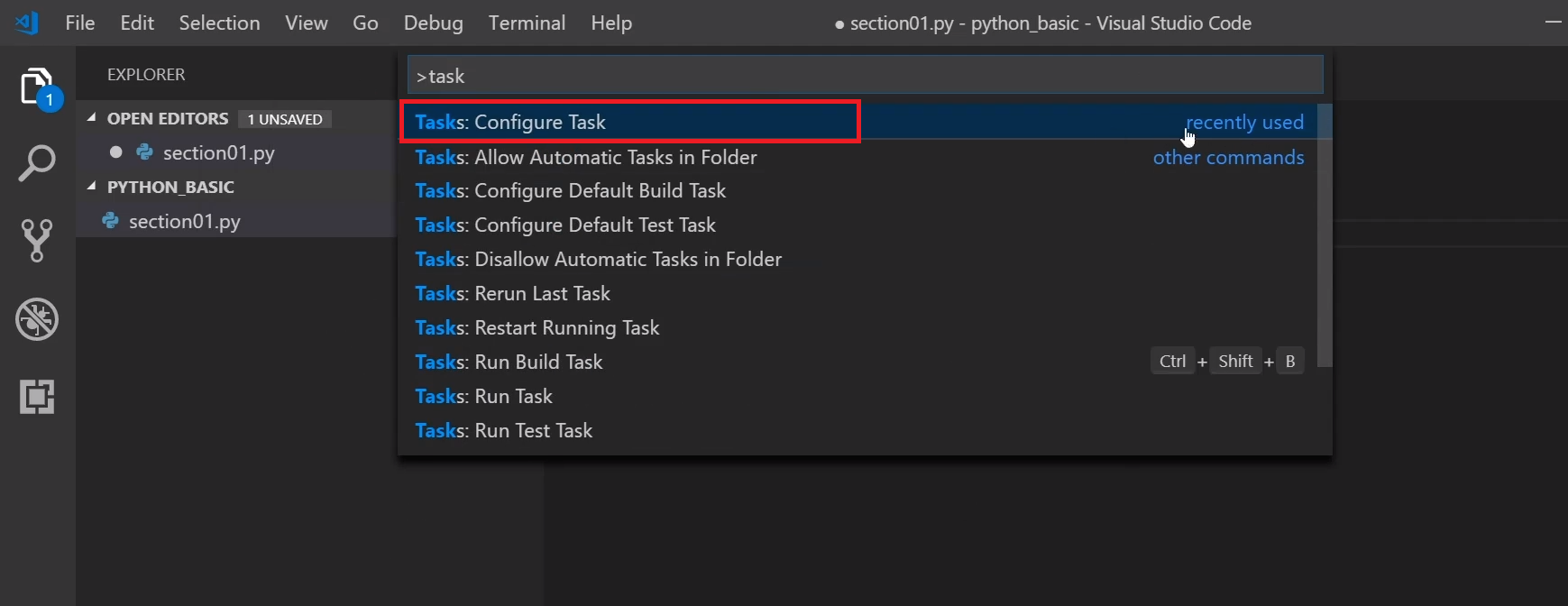
[Create tasks.json file from template] 선택,
[Others] 선택
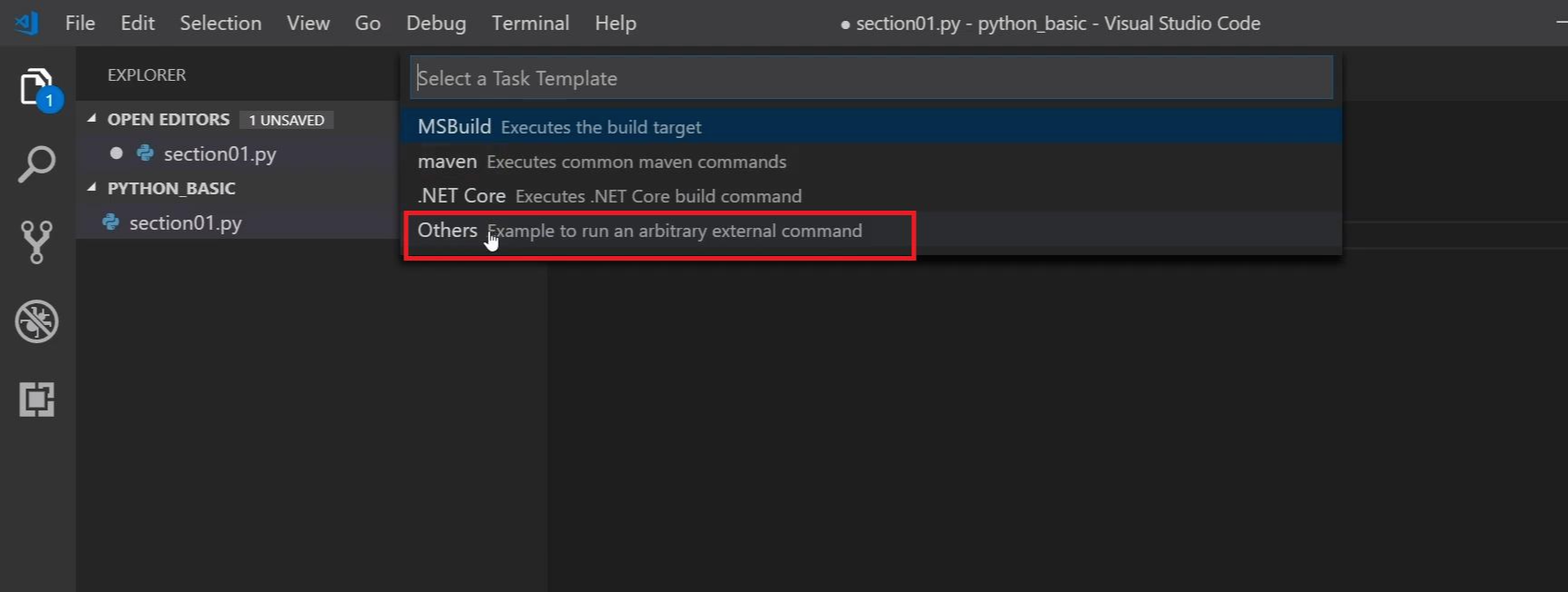
다음과 같이 보이는 화면에서
해당 내용을 모두 지우고
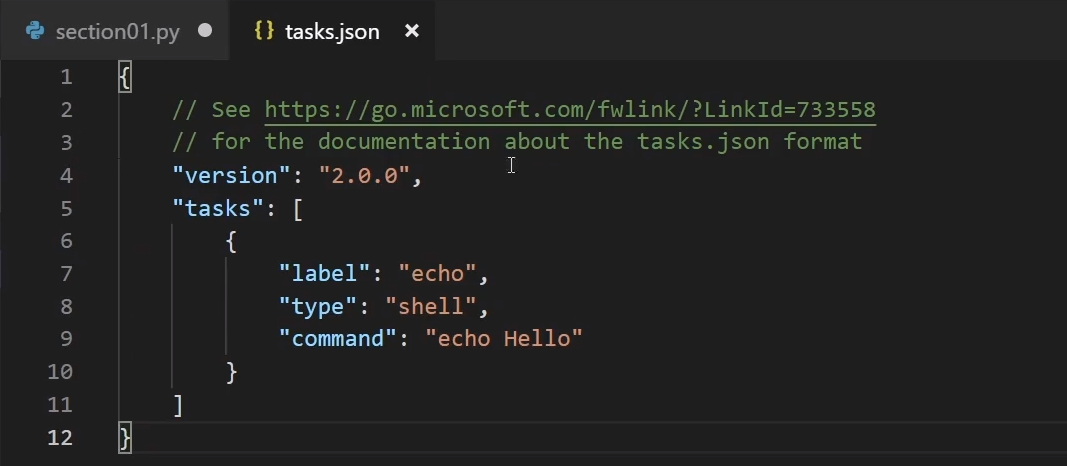
아래의 [------]사이의 내용입력
------
{
// See https://go.microsoft.com/fwlink/?LinkId=733558
// for the documentation about the tasks.json format
"version": "2.0.0",
"tasks": [
{
"label": "Project Label",
"type": "shell",
"command": "python",
"args": [
"${file}"
],
"presentation": {
"reveal": "always",
"panel": "new"
},
"options": {
"env": {
"PYTHONIOENCODING": "UTF-8"
}
},
"group": {
"kind": "build",
"isDefault": true
}
}
]
}
------
끝!
앞으로의 실행 시
[ctrl+shift+B]를 누르면
불필요한 내용없이 출력 가능!